
PIMWICK / OPERATIONS
PW WooCommerce Let's Export! Pro
Your store data. Ready to go.
Get the store data you need into Excel or CSV. Pick your fields, filter the results, and save the setup for the next time you need it.
- Export products, customers, and orders.
- Download Excel or CSV files, or print from the screen.
- Include custom fields from third-party plugins.
- Save configurations for one-click exports.
PURPOSE BUILT. POSSIBILITY PACKED.
Less friction.
More forward.
PW WooCommerce Let's Export! Pro
Download Excel or CSV files, or print from the screen.
Include custom fields from third-party plugins.
Save configurations for one-click exports.
START WITH WHAT YOU NEED
Try the possibility.
Then unlock more.
PW WooCommerce Let's Export!
Included in the free edition:
- Export WooCommerce data to Excel or CSV.
- Select available fields and filter your data.
- Save export configurations for reuse.
Questions? We're right here.
Explore documentation or tell us what you want to achieve.
THE DETAILS MAKE THE DIFFERENCE
A closer look.
Every possibility.
Features, real screenshots, compatibility,
and the details worth knowing.

Create email lists and more with this beautiful export utility!
Save your configuration to export with only 1-click.
Incredibly easy way to export WooCommerce data with just a few clicks.
- Download your Products, Customers, and Orders in Excel or CSV.
- Print directly from the screen.
- Costs less than similar plugins.
- Save your configuration to export with only 1-click.
- No confusing setup to wade through!
- Supports ALL custom fields from any 3rd party plugins.
- Compatible with WooCommerce 2.6 and higher, including 3.0+.
Part of the WooCommerce Essentials Bundle
Screenshots
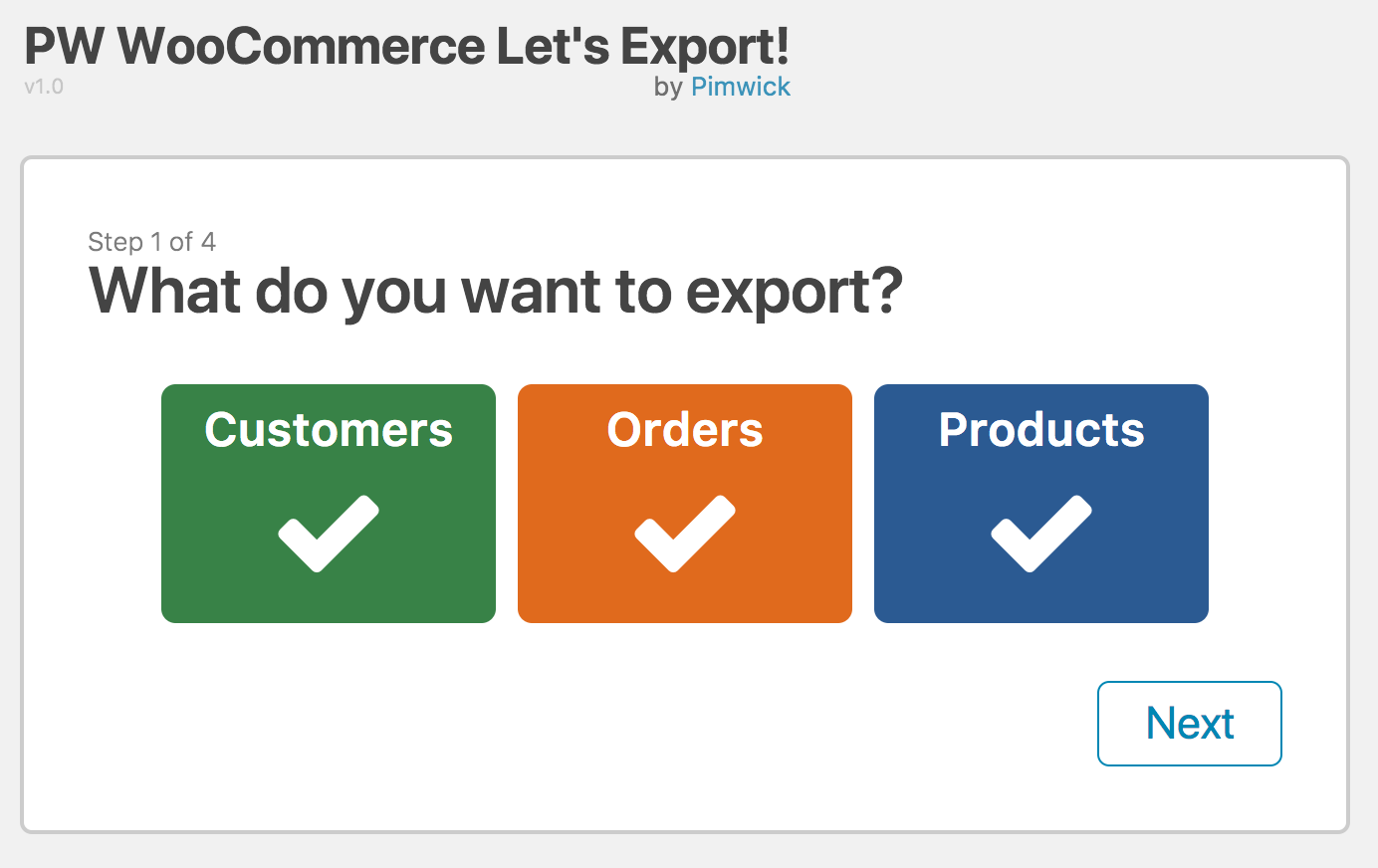
1. Choose the type of data you want to export.
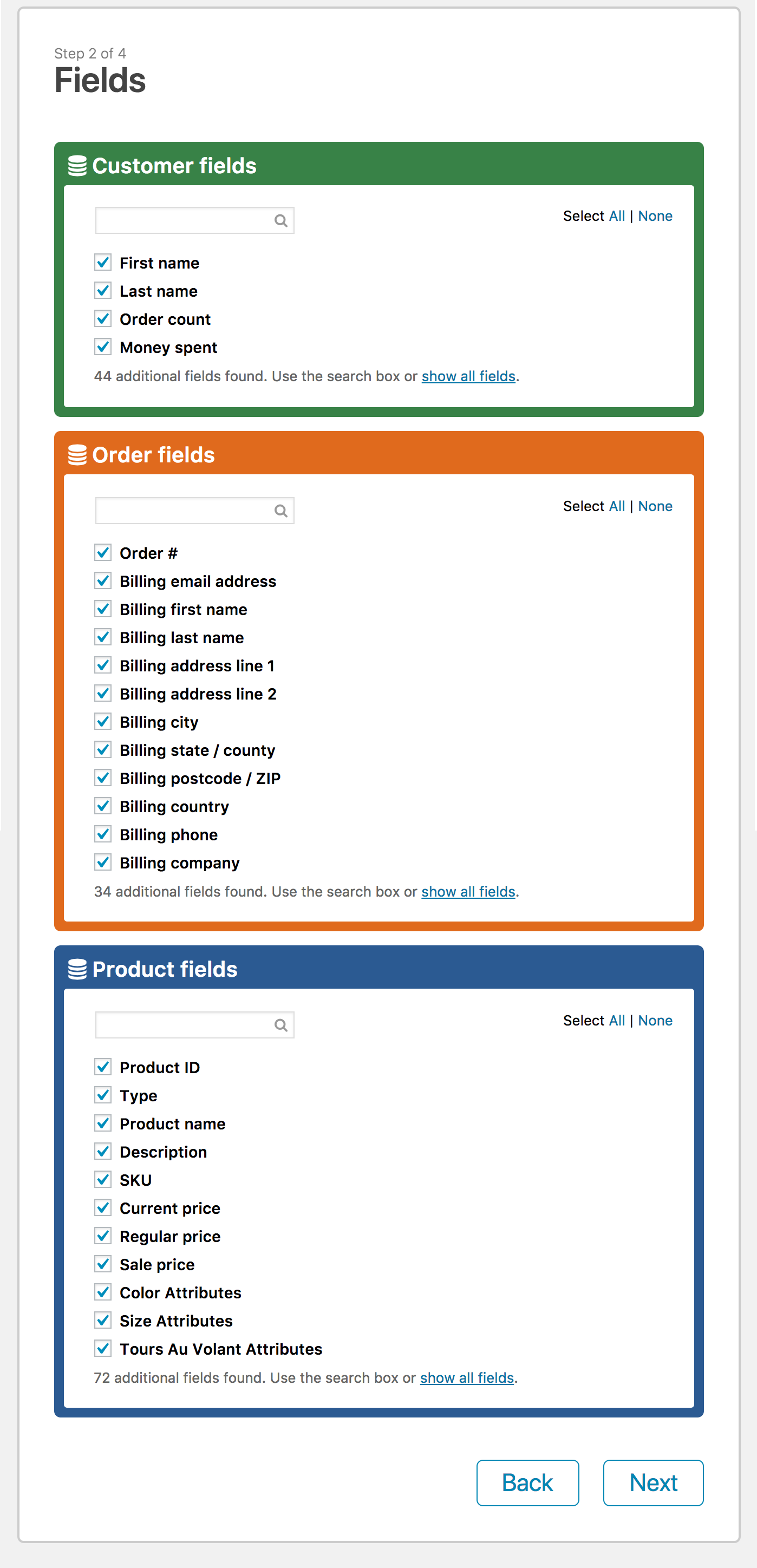
2. Select the fields.
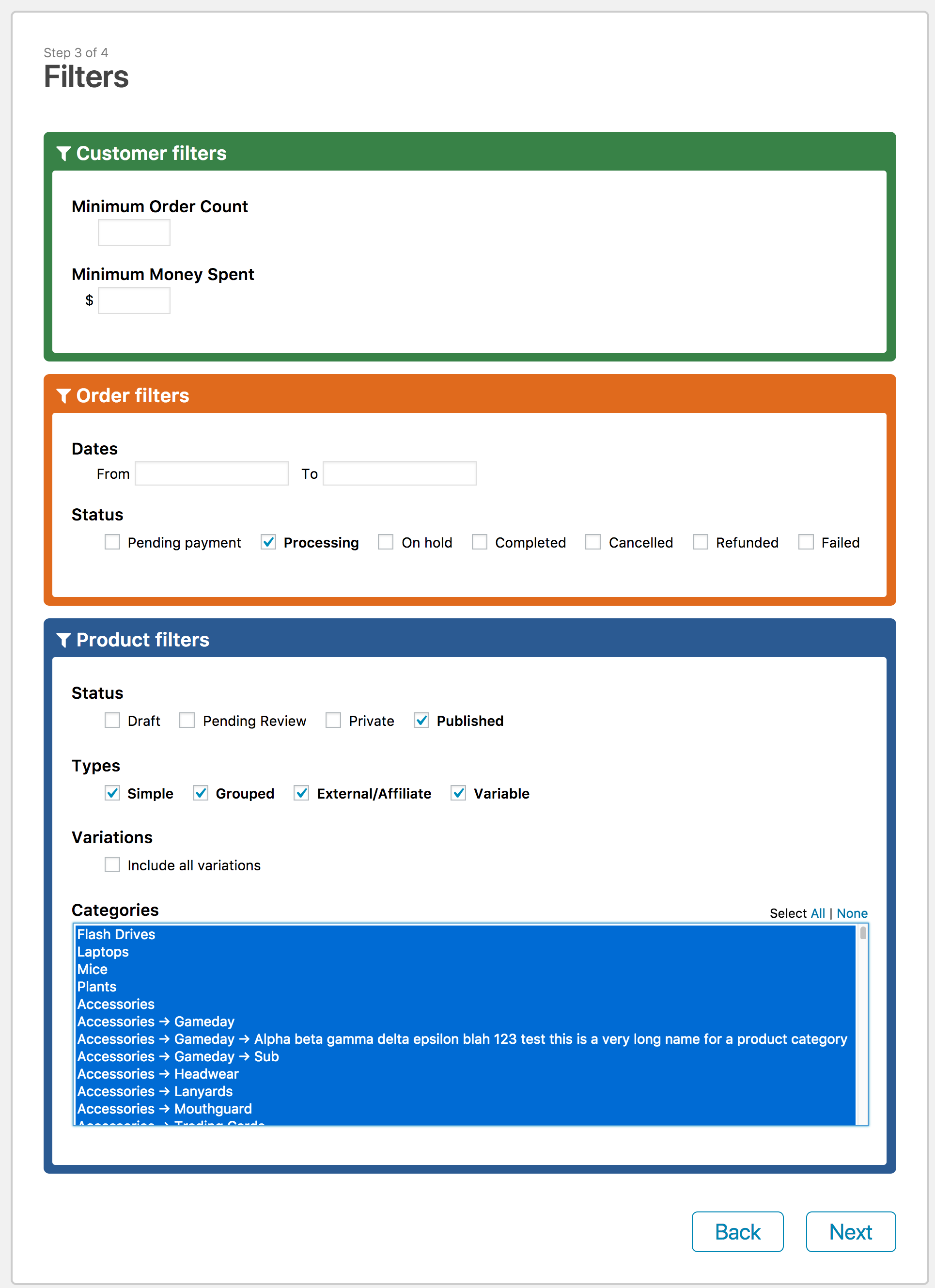
3. Filter the data.
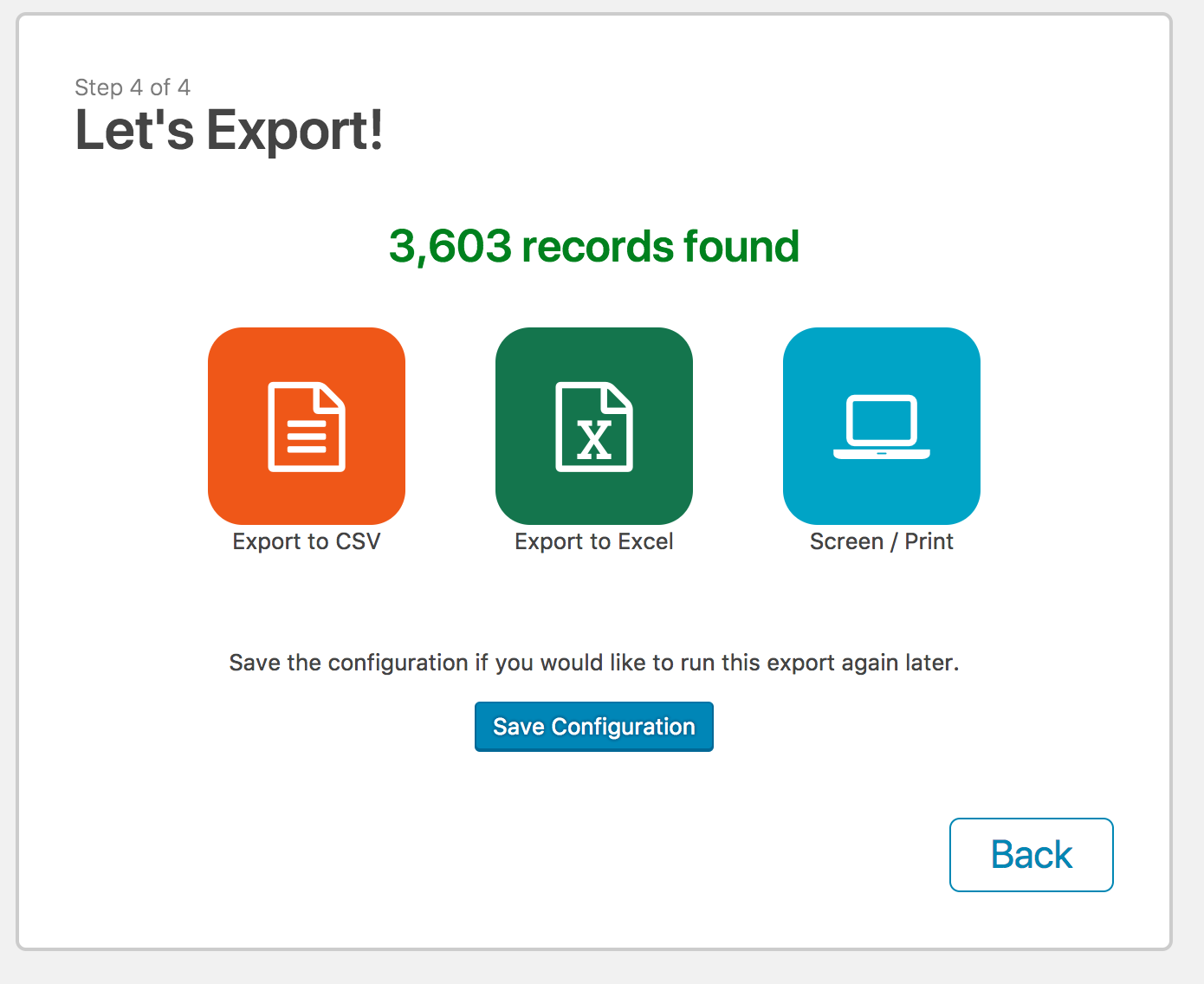
4. Let’s Export!
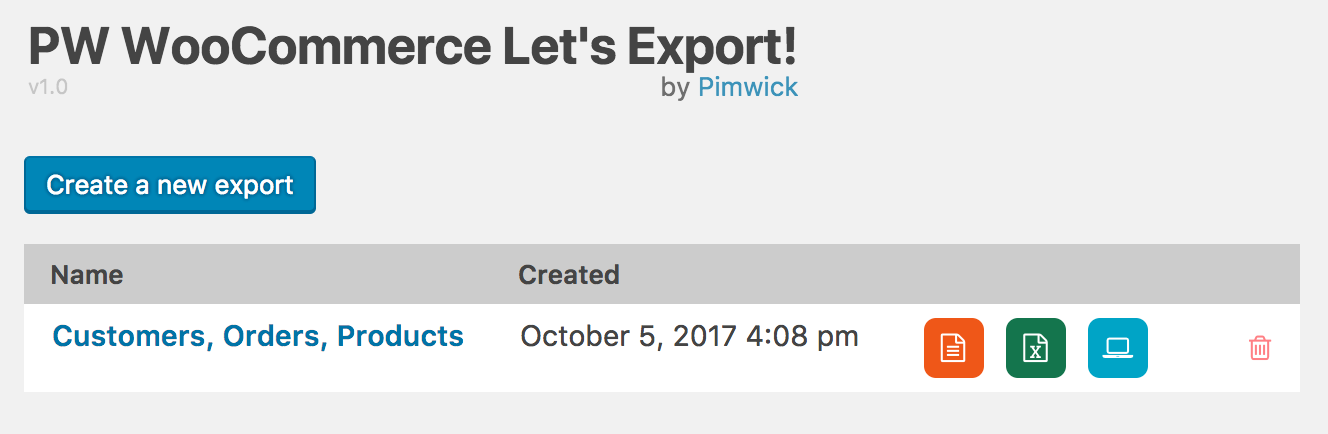
5. Save the config and run it later with a single click.
Try before you buy
There is a free version available with limited features. To install it, log into your WordPress Admin area, click on Plugins -> Add New, and search for “Pimwick“.
License Information
Your license will renew automatically every year. If you want to cancel the renewal, you can do so from the My Account page. If you cancel your subscription and your license expires, you may continue using all of the features of the Pro version without any restrictions. However, you won’t receive new features / bug fixes until you renew and you will be unable to activate the plugin again if deactivated or you change sites. We do not offer refunds for renewals. You can move your license to another site by deactivating the plugin and activating it on the other site.
Your license is valid only for the number of sites purchased and cannot be redistributed. If redistributed, your license will become invalid and the plugin will be disabled.
We cannot offer refunds for license renewals since that is what grants access to the latest version. You may cancel your subscription if you do not wish to be automatically billed for future renewals.
Version History
View the changelog.txt file.
WooCommerce Experts Since 2016
WooCommerce is powerful, flexible, and sometimes really complicated!
Our passion is creating high quality, easy to use plugins that are affordable or free. We have been developing and supporting high quality WooCommerce plugins since 2016.
Why we created this plugin
Our passion is creating high quality, easy to use plugins that are affordable or free.
We looked for a simple way to download our customers in Excel and all we found were mega-utilities that were confusing to use. WooCommerce is an amazing platform and the vast array of plugins makes it hard to decide which one to use.
We created this plugin because we didn’t want to spend all weekend learning how to use a complicated plugin just to do a simple thing. Do one thing and do it well!
This plugin doesn’t require a degree to learn how to operate it. You can download an Excel file in just a few clicks. We pre-select the most common choices for you.
Don’t let the simplicity fool you, this plugin is capable of extracting data quickly and will even recognize custom fields from other plugins.
Need help?
Check out our Frequently Asked Questions page.